The Intel Core i3 12100F is a gaming-capable processor. Therefore, we have included the most valuable gaming graphics card for i3 12100f.
These GPUs are fully compatible with the i3 12100f processor. Also, you will get the exact gaming performance of these graphics cards.
We have also added our test graphics card testing below to determine whether bottlenecked with i3 12100f or not for better understanding.
So let’s check the best GPU options.
Best GPU for i3 12100f
Always consider that i3 12100f is a capable processor, but if you combine it with lower GPUs like GTX 1050 ti or GTX 1650, then the processor will be on lower usage.
1. MSI GeForce RTX 5060 (8GB) – Best 1080p High-FPS
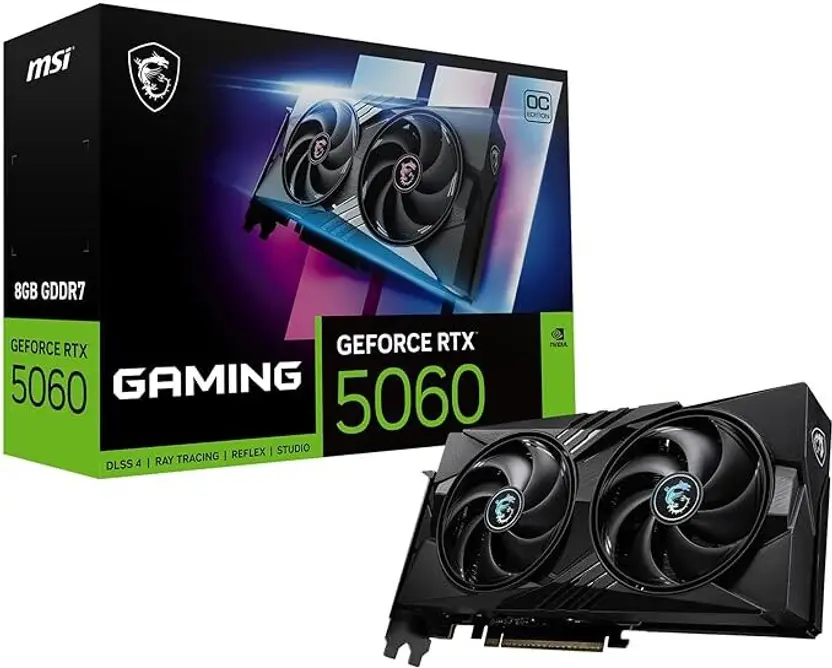
Specification of this graphics card
| CUDA CORES | 3584 |
| Base clock | 1.83 GHz |
| Boost clock | 2.46 GHz |
| RAM | 8 GB |
| Maximum GPU temperature | 90°C |
| Recommended Power Supply | 550W |
| Graphics card power Requirement | 115W |
More information about RTX 5060
Nvidia has finally released a worthy successor to the 3060. The RTX 5060 is easily the best 60-class card in generations for pure 1080p gaming.
It brings a massive 51% performance improvement over the older RTX 3060. Compared to the RTX 4060, it is still 28% faster.
The real game-changer here is the software.
You get full access to the DLSS 4 suite, including Multi-Frame Generation. This means you can push frame rates above 100 FPS even in demanding titles like *Cyberpunk 2077*.
One thing to keep in mind.
The 8GB VRAM limit is a potential bottleneck for future AAA longevity, but for 1080p today, it is excellent.
View More: Best GPU Upgrade From GTX 1650 Graphics Card.
2. Asrock Radeon RX 9060 XT (16GB) – Best 1440p Value
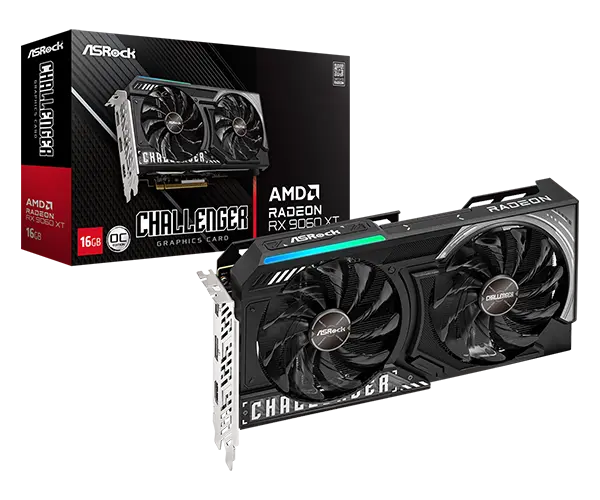
Specification of this graphics card
| Stream CORES | 3072 |
| Base clock | 2.45 GHz |
| Boost clock | 2.90 GHz |
| RAM | 16 GB |
| Maximum GPU temperature | 95°C |
| Recommended Power Supply | 650W |
| Graphics card power Requirement | 190W |
More information about Rx 9060 XT
If you want to step up to 1440p, memory is everything. The RX 9060 XT is specifically optimized for this, offering 1440p Power for Under $400.
It comes with a massive 16GB of VRAM.
This advantage allows it to avoid the texture “pop-in” and game crashes that plague 8GB cards at higher resolutions. In modern titles, it averages a solid 70 FPS at native 1440p.
It matches the performance of the previous generation’s RX 7700 XT but adds improved ray tracing and FSR 4 support.
3. Asus Tuf Gaming GeForce RTX 3060 Ti 8 Gb Graphics Card
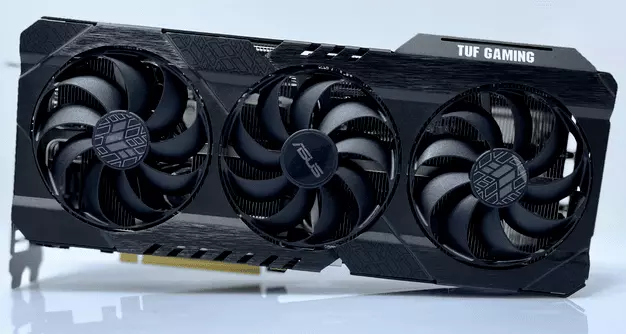
Specification of this graphics card
| CUDA CORES | 4352 |
| Base clock | 1.67 GHz |
| Boost clock | 1.41 GHz |
| RAM | 8 GB |
| Maximum GPU temperature | 93 |
| Recommended Power Supply | 600 |
| Graphics card power Requirement | 200 |
More information about RTX 3060 Ti
GeForce RTX 3060 Ti is a good graphics card for gaming 1440p gaming and 1080p gaming. While testing it, we found that RTX 3060 ti bottlenecks with i3 12100f on 1080p resolution.
However, it just reached 70% of CPU usage in high-end games which means there is no bottleneck possible. But in Cyberpunk 2077, the GPU usage goes down to 80% GPU usage sometimes in the game which is CPU bottlenecking the GPU.
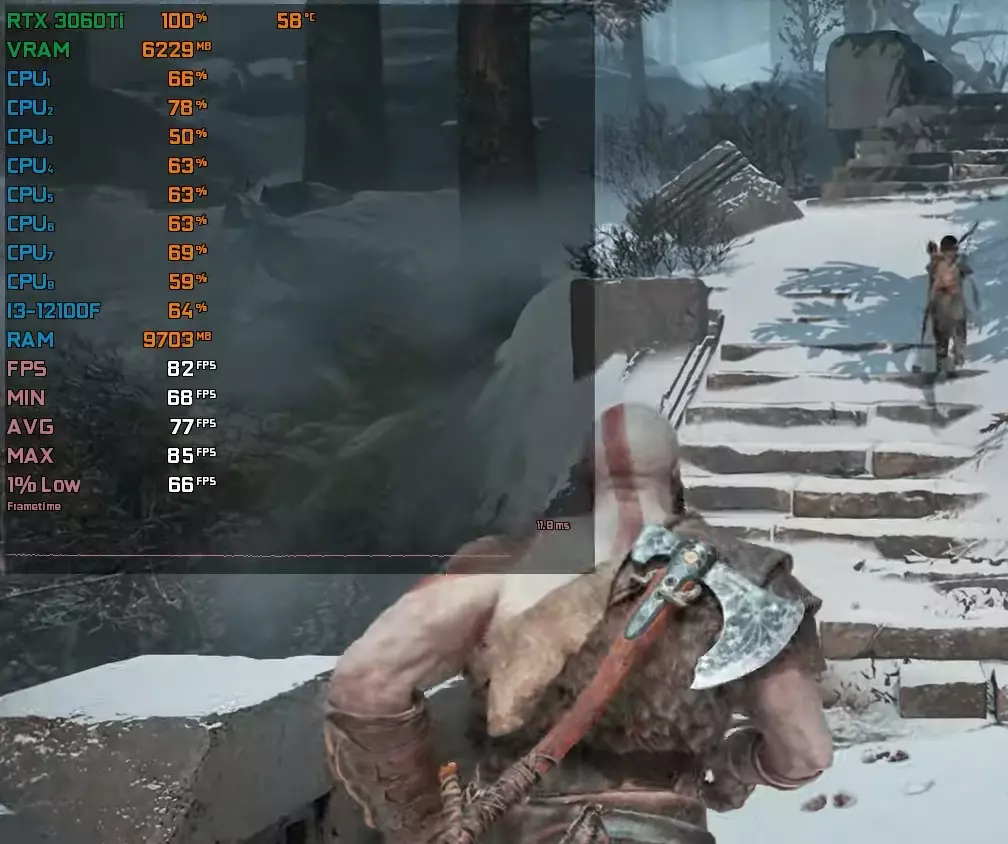
Therefore, on newly launched games this graphics card will perform better on 1440p resolution or try some different gameplay settings with i3 12100f.
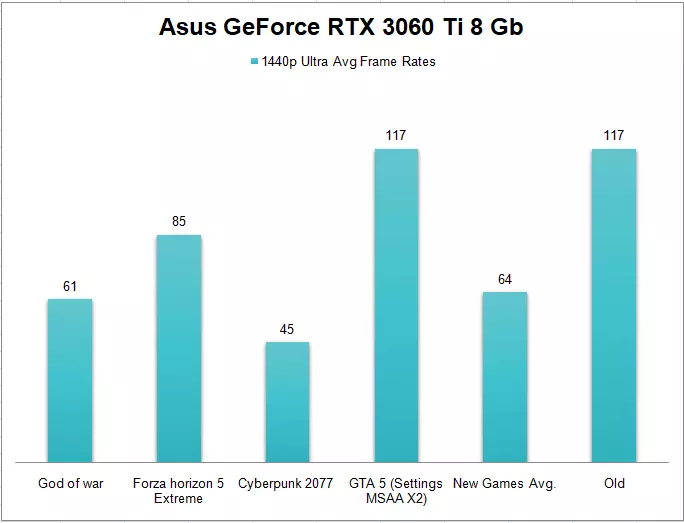
Also, for the gaming performance you can expect an average of 64 frame rates on 1440p resolution from RTX 3060 ti.
4. Sapphire Radeon Rx 7600 8 Gb Graphics Card
Specification of this graphics card
| Stream CORES | 2048 |
| Compute Units | 32 |
| Game Frequency | 2250 MHz |
| Boost Frequency | 2655 MHz |
| RAM | 8 GB |
| Memory speed | 18 Gbps |
| Recommended Power Supply | 550W |
| Graphics card power Requirement | 165W |
More information about Rx 7600
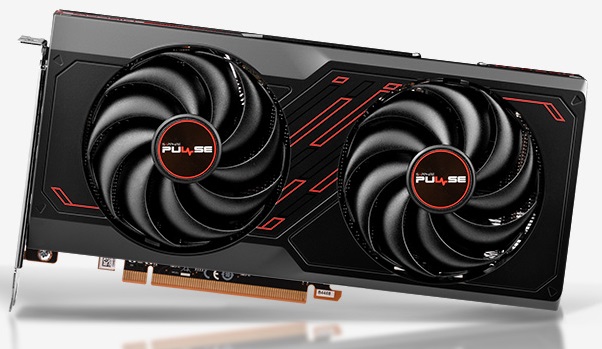
Radeon Rx 7600 is a new and decent graphics card to play games on 1080p resolution. This graphics card has ray-tracing features as well.
Also, this graphics card does not bottleneck with the i3 12100f graphics card on 1080p and 1440p gaming.
Therefore, if you want an affordable option to play games on 1080p resolution you can consider this graphics card as well.
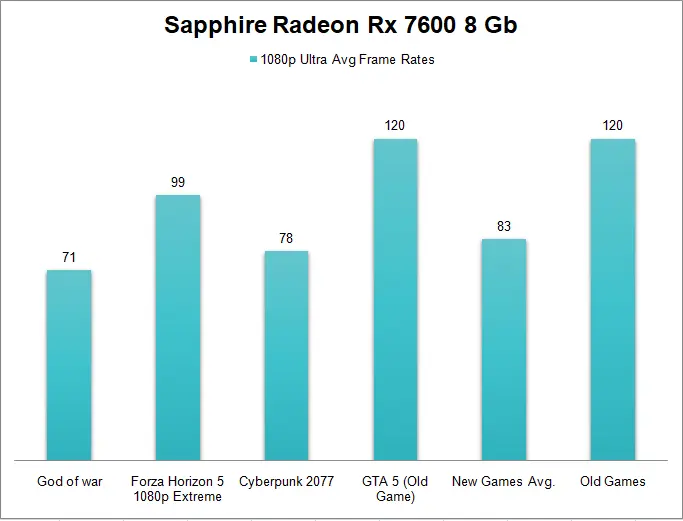
For gaming performance, you can expect an average of no. frame rates on 1080p resolution from Rx 7600.
5. EVGA GeForce RTX 2060 6 Gb Graphics Card
Specification of this graphics card
| CUDA CORES | 1920 |
| Base clock | 1.37 GHz |
| Boost clock | 1.68 GHz |
| RAM | 6 GB |
| Maximum GPU temperature | 88 |
| Recommended Power Supply | 500 |
| Graphics card power Requirement | 160 |
More information about RTX 2060
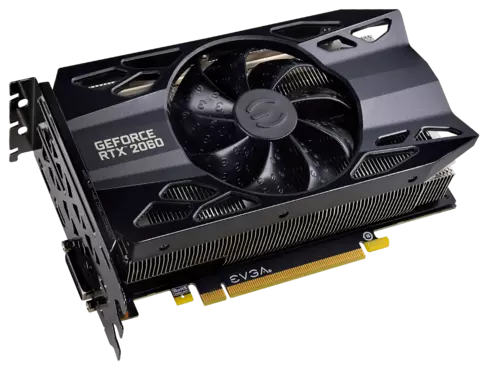
GeForce RTX 2060 is an affordable and better option as compared to RTX 3050 in normal gaming and ray tracing.
Also, RTX 2060 doesn’t bottleneck with the i3 12100f processor. Only sometimes on 1080p low settings, you can see some bottleneck but normally it is perfectly fine.
On RTX 2060, you can play games with ray tracing as well.
Only Problem
GeForce RTX 2060 has 6 GB video memory which is slightly less for newly launched games. Therefore, this graphics card is only for budget 1080p gaming.
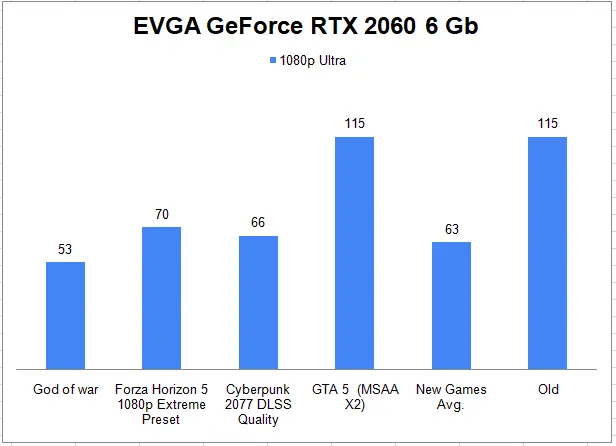
For gaming performance, you can expect an average of no. frame rates on 1080p resolution from RTX 2060.
To play games with entry-level graphics cards consider checking upcoming options.
Maximizing Performance with the i3-12100F
To ensure your new GPU performs at its best with the i3-12100F, there are two critical system settings you must verify.
Enable Resizable BAR
This feature allows your CPU to access the entire GPU video memory at once. For the i3-12100F paired with any of these modern cards (AMD or Nvidia), enabling this in your BIOS can yield a free 5-10% performance boost in supported games.
Dual Channel RAM is Non-Negotiable
The i3-12100F relies heavily on memory bandwidth to keep up with faster GPUs. Ensure you are running Dual Channel RAM (two sticks, e.g., 2x8GB or 2x16GB). Single-channel memory will severely cripple your 1% low FPS, causing stutters even with a powerful GPU like the RTX 5060.
Conclusion
For the best gaming performance on 1080p resolution, you should consider an RTX 4060 graphics card for i5 11400f.
But for 1440p resolution, the RTX 3060 Ti is a much better option for you. Lastly, for affordable gaming, you can look for Rx 7600 as well.
So here’s the guide on the graphics cards for the i3 12100f processor.
Now I want to hear from you about which of the graphics cards you liked the most. Let me know in the comments below.

Aveloria Thessar, based in California, USA, is Head Content Editor at BestGuides.in and a lead hardware reviewer with 8+ years of hands-on experience in building and benchmarking PCs. She began assembling her first PC in high school, sparking a lifelong passion for graphics cards, high-performance CPUs, gaming laptops, and SSDs. Over the years, Aveloria has tested dozens of components, running repeatable benchmarks to deliver accurate, practical insights. She shares her expertise through detailed guides and reviews, helping enthusiasts make confident, informed decisions, while actively contributing to tech communities and professional networks to stay at the forefront of PC hardware trends.