Are you still struggling with the GTX 1660 Ti? It’s time to upgrade your GPU.
In this article, we have included budget-friendly as well as the best 2K gaming GPUs to upgrade from the GTX 1660 Ti.
You will get the latest real-time gaming, native, and ray tracing performance information along with a genuine upgrade guide.
So let’s check the graphics cards.
Best graphics card upgrade from GTX 1660 ti
| Graphics Card | Performance | Minimum Power Supply |
|---|---|---|
| RTX 5060 Ti 16 GB | 1440p Ultra | 550 watt |
| Rx 7600 8 GB | 1080p Ultra | 550 watt |
| RTX 5050 8 Gb | 1080p Ultra | 550 watt |
Currently, the best options after the GTX 1660 Ti are RTX 5060 Ti and RX 7600 graphics cards, for better gaming performance with the latest features like ray tracing and DLSS.
1. MSI GeForce RTX 5060 Ti 16 GB (Best Overall Upgrade from GTX 1660 Ti)
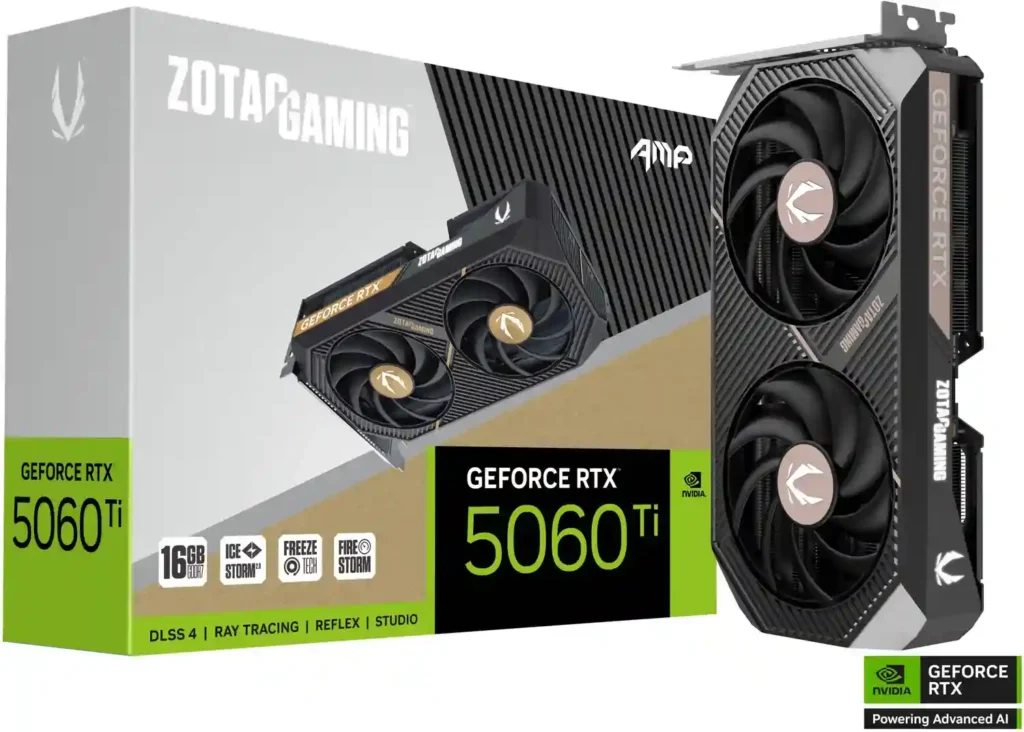
RTX 5060 Ti is a very capable graphics card from Nvidia for 1440p gaming. It helps you play high-end games with ray tracing at smooth frame rates, which is a big step up from the GTX 1660 Ti.
Further, it has 16 GB GDDR7 video memory for a better gaming experience on newly launched games. Also, you will get good cooling features and solid build quality for long-term use.
Why buy this graphics card
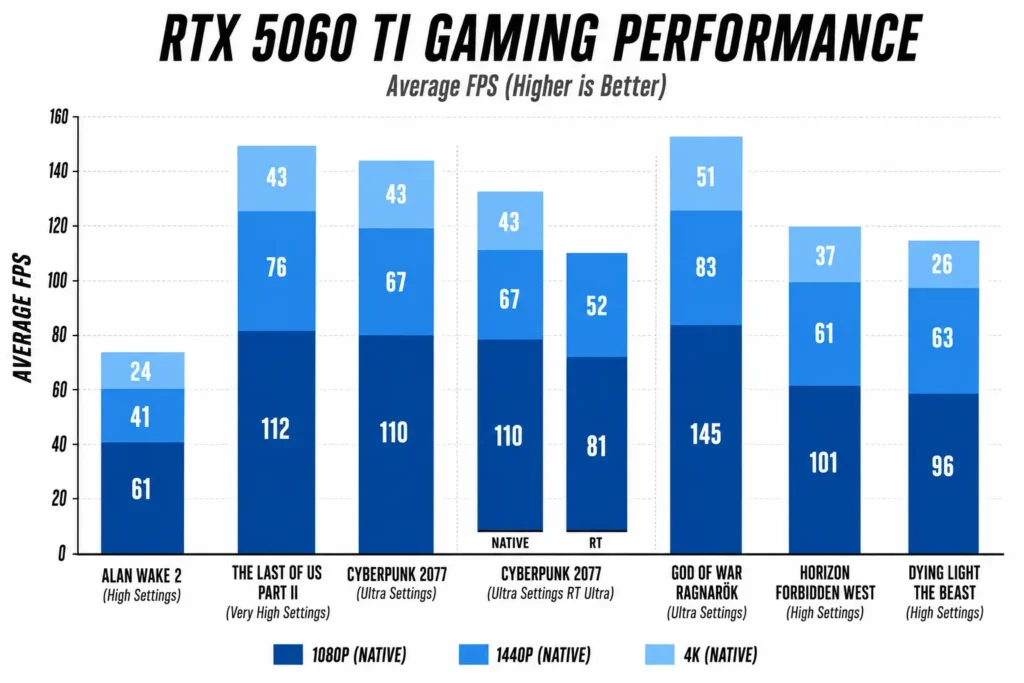
1440p Performance: You can use this graphics card for playing the latest launched games with an average of 83 frames per second on 1440p ultra settings in God of War Ragnarok.
1080p Dominance: It handles 1080p gaming very well, hitting 145 fps in God of War Ragnarok and 112 fps in The Last of Us Part 2.
Ray Tracing Power: Even Cyberpunk 2077 with Ray Tracing Ultra and DLSS Quality runs at 81 fps on 1080p and 52 fps on 1440p, which is genuinely impressive for a card at this price point.
Coming from a GTX 1660 Ti, the RTX 5060 Ti delivers more than double the raw performance and nearly four times the frame rate output with DLSS enabled.
However, if you feel this graphics card is slightly expensive, then you can check the next graphics card.
2. MSI Radeon RX 7600 8Gb (Performs better than RTX 3060)
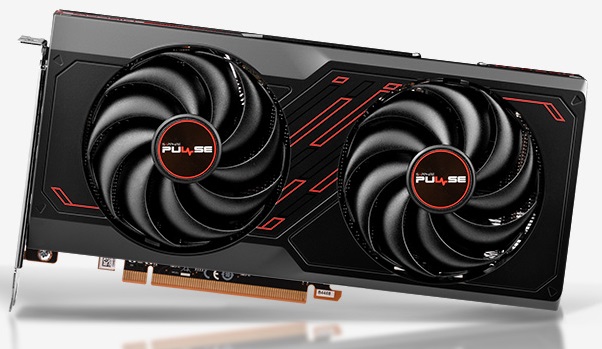
Radeon RX 7600 is a graphics card known for better 1080p gaming at a lower price. This graphics card’s current pricing is lower than the launch price of the GTX 1660 ti.
Also, this graphics card has 8 GB video memory, which is enough for decent high frames on 1080p resolution. For cooling, it has MSI TORX fan 3.0, and these fans remain silent during normal usage.
It has thermal padding on board components for better cooling.
Why consider this graphics card
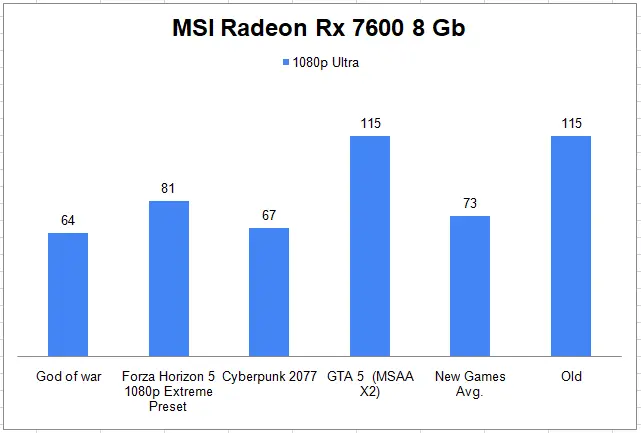
Cost-Effective: If you are looking for a budget-friendly GPU for 1080p gaming with high frame rates and basic ray tracing support, then you can consider the RX 7600.
Modern Features: It supports AMD FSR and ray tracing, giving you better frame rates and visuals at no extra cost.
Smart Buying Tip: Lastly, always compare the pricing of the RX 7600 and RX 7600 XT. In case of minor differences, consider the RX 7600 XT.
Also, you can check the graphics card to upgrade from GTX 1660 super.
3. Asus GeForce RTX 5050 8Gb (Latest Generation RTX 3050)
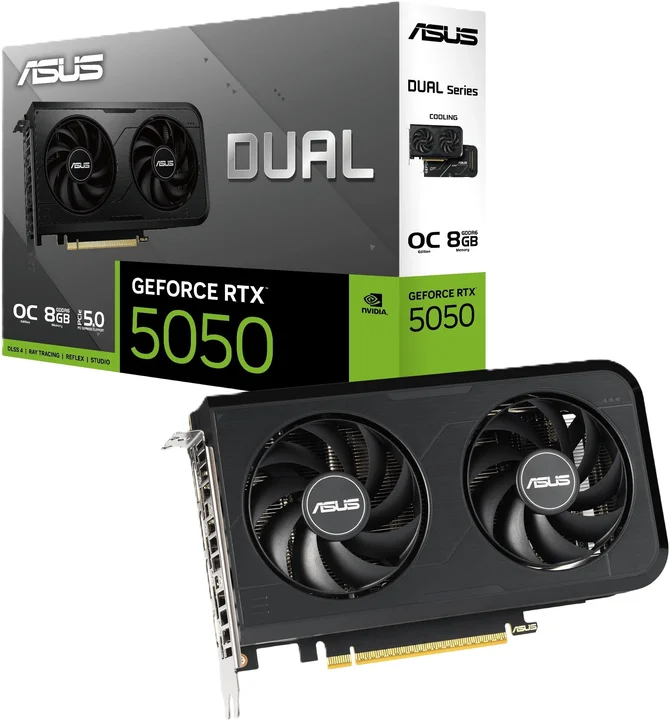
Geforce RTX 5050 is an affordable graphics card for playing new games on 1080p resolution. It performs better than the GTX 1660 Ti and adds modern features like Ray Tracing and DLSS that the 1660 Ti simply does not have.
Also, it has 8 GB GDDR7 video memory compared to the GTX 1660 Ti’s 6 GB GDDR6. In most games, you will notice a decent 50% performance bump, especially with 1080p resolution gaming.
Why consider this graphics card
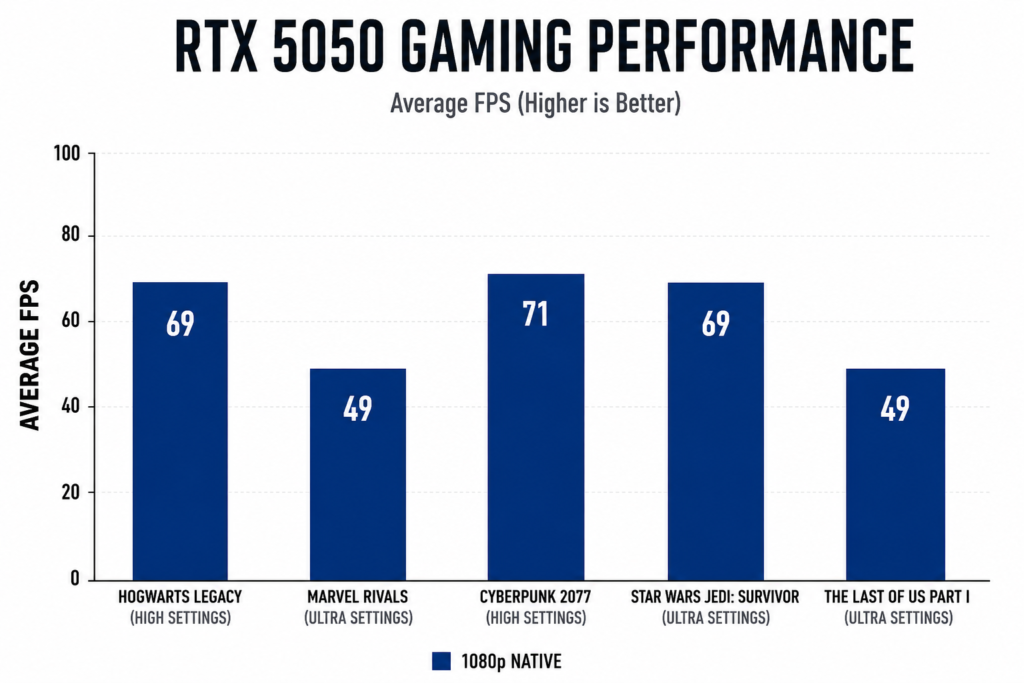
Solid 1080p Gameplay: You can use this graphics card for playing the latest games at a solid 60+ fps on 1080p ultra gameplay settings. It hits 71 fps in Cyberpunk 2077 at high settings, 69 fps in Hogwarts Legacy, and 69 fps in Star Wars Jedi Survivor, all without DLSS or Frame Generation.
Price to Performance: The price of this graphics card sits close to what the GTX 1660 Ti launched at, making it a reasonable upgrade option without spending too much.
Generational Leap: Also, the gaming performance of the RTX 5050 is around 50% more than the RTX 3050; you are getting a current-generation GPU with more performance and at a good price.
Should You Upgrade Now or Wait for Next-Gen Hardware?
In the current situation, you have good options to select in the GPU market. If you want to wait for the next Nvidia series, it will likely not arrive before 2027.
You can consider any of the above-mentioned GPUs for better performance in 1080p resolution or 1440p resolution gaming with ray tracing.
But still, make sure to check your motherboard and CPU compatibility with your selected graphics card, because placing a powerful modern GPU with an older CPU can cause bottlenecking.
Conclusion
You can still play games on 1080p resolution with the GTX 1660 Ti, but if you want a much better experience in 1440p gaming, then the RTX 5060 Ti is the best option for you.
Further, for budget 1440p and 1080p gaming, you can look at the RX 7600 and RTX 5050 GPUs.
Also, both the RX 7600 and RTX 5050 offer basic ray tracing support without the premium price.
So here is the best graphics card upgrade from the GTX 1660 Ti.
Now I want to hear from you: do you like this list? Let me know by leaving a comment below. Also, feel free to share this article.

Aveloria Thessar, based in California, USA, is Head Content Editor at BestGuides.in and a lead hardware reviewer with 8+ years of hands-on experience in building and benchmarking PCs. She began assembling her first PC in high school, sparking a lifelong passion for graphics cards, high-performance CPUs, gaming laptops, and SSDs. Over the years, Aveloria has tested dozens of components, running repeatable benchmarks to deliver accurate, practical insights. She shares her expertise through detailed guides and reviews, helping enthusiasts make confident, informed decisions, while actively contributing to tech communities and professional networks to stay at the forefront of PC hardware trends.