Finding the best monitor under ₹15000 is not easy. There are too many options, and most of them look the same on paper.
That is exactly why we tested and shortlisted 5 monitors for you.
In this article, you will get the full specs, pros and cons, and a clear recommendation for gaming, coding, and editing.
Let’s check these monitors.
1. Acer Nitro KG271 X1 – Best for Competitive Gaming
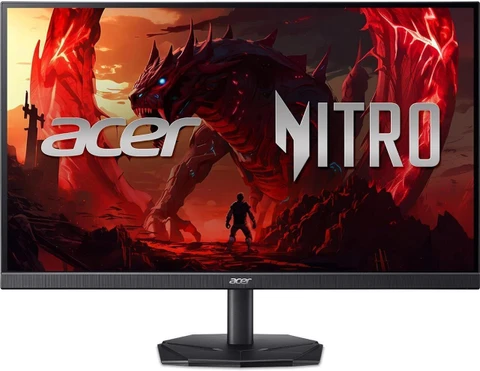
| Specification | Details |
| Screen Size | 27 inches |
| Panel Type | IPS |
| Refresh Rate | 200Hz |
| Resolution | 1920×1080 (FHD) |
| Bezels | ZeroFrame |
| Ports | 2x HDMI, 1x DisplayPort |
| Speakers | Built-in |
| Price | ₹10,450 |
| Amazon Link | Buy Now |
What Makes It Stand Out
A 200Hz IPS panel at ₹10,450 is a genuinely great deal in 2026. Just eighteen months ago, this budget would get you a 144Hz monitor at best, and usually on a TN panel with poor color quality.
Also, it comes with the ZeroFrame design, which means the bezels are almost completely gone. This monitor is a great option if you are building a dual-monitor setup or simply want a cleaner-looking desk. The built-in speakers work fine for calls and casual use, though they are nothing special.
Gaming at 200Hz: Real-World Experience
Honestly, I was half expecting some ghosting or color drift at 200Hz on an IPS panel. That did not happen. Fast shooters, high-speed scrolling, quick window switching – everything feels clean and smooth.
The best part!
This is the most affordable monitor on the list, and it still delivers 200Hz. For competitive gaming, it is the clear winner at this price.
FHD resolution means almost any mid-range GPU can push high frame rates comfortably. The only real limitation is no USB-C port, which may matter if you use a modern laptop.
| Pros | Cons |
| Highest refresh rate in this list at 200Hz | FHD only, no QHD option |
| Most affordable | No USB-C port |
| Built-in speakers included | Speakers are basic quality |
| ZeroFrame design looks clean | FHD feels less sharp for photo editing |
| AMD FreeSync Premium support |
Consider Reading Our Helpful Buyer’s Guides. Comprehensive Guide For Buying Right Monitors with Right Requirements.
2. LG UltraGear 23.8 24GS65F – Best IPS Value Under ₹11K
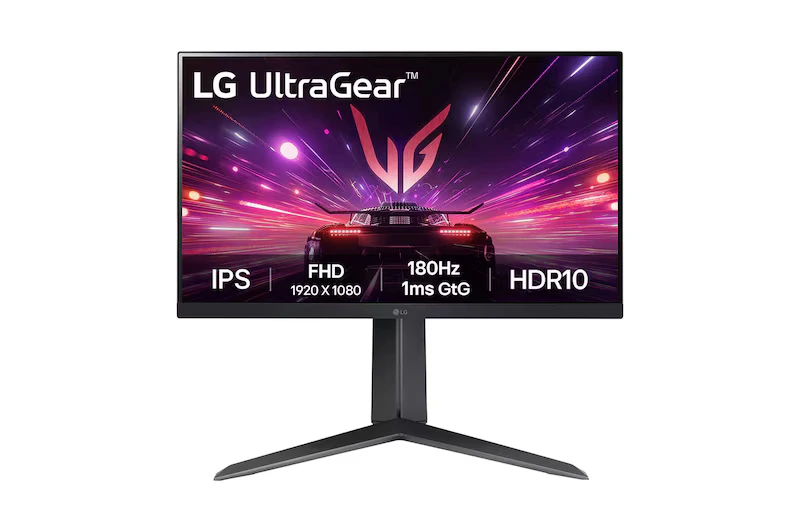
| Specification | Details |
| Screen Size | 23.8 inches |
| Panel Type | IPS |
| Refresh Rate | 180Hz |
| Resolution | 1920×1080 (FHD) |
| Bezels | 3-side borderless |
| Ports | 2x HDMI, 1x DisplayPort |
| Speakers | None |
| Price | ₹10,999 |
| Amazon Link | Buy Now |
Why do you get More Than You Think
The LG UltraGear gaming lineup has a solid reputation, and this 23.8-inch model brings 180Hz IPS performance to just under ₹11,000. The panel color accuracy out of the box is reliable. You will not need to chase down a weird color tint in display settings on day one.
No built-in speakers is a real drawback here. If you rely on monitor audio for calls or background music, you will need to sort out external speakers separately. This is worth planning for before you buy.
How It Holds Up After a Full Day
The 23.8-inch size is a great option for compact desks or smaller rooms. A 27-inch panel in a tight space can feel overwhelming, so this size is worth considering if you are limited on desk room.
Stick with me.
On a mid-range GPU, FHD 180Hz runs clean and smooth. Colors are accurate enough for casual photo work – not professional grade, but good enough. Build quality feels solid, which matters when you are using it every day for months.
If you already have external speakers and want the best IPS gaming value under ₹11K, this is a hard monitor to beat.
| Pros | Cons |
| 180Hz IPS under ₹11K | No built-in speakers |
| Reliable color accuracy out of the box | Smaller 23.8 inch size |
| 3-side borderless design | No USB-C |
| Great compact option for small desks | FHD only |
| Trusted LG UltraGear brand |
3. LG 27U631A – Best for Photo and Video Editing
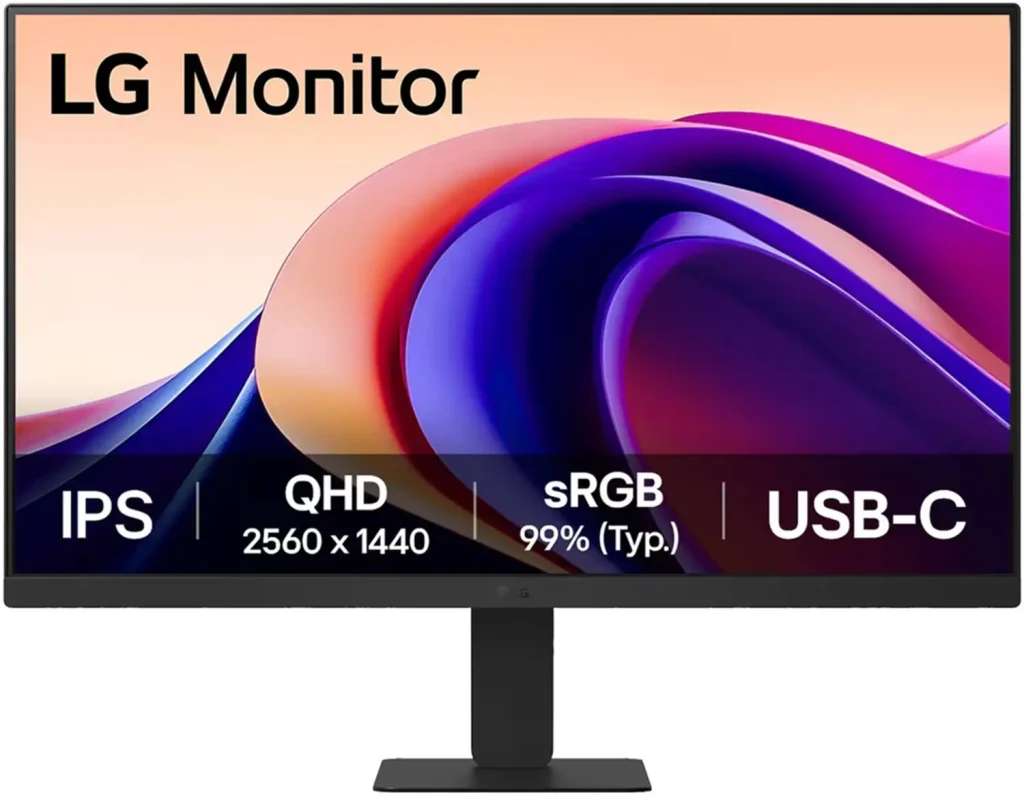
| Specification | Details |
| Screen Size | 27 inches |
| Panel Type | IPS |
| Refresh Rate | 100Hz |
| Resolution | 2560×1440 (QHD) |
| Bezels | 3-side borderless |
| Ports | USB-C, HDMI |
| Speakers | None |
| Price | ₹11,909 |
| Amazon Link | Buy Now |
What Makes This Monitor Great for Editing
This is where things get genuinely interesting. A QHD 27-inch IPS panel with USB-C connectivity at under ₹12,000. That is a real deal in 2026.
The USB-C port is the standout feature here. One cable from a modern laptop handles both the display and charging together. If you use a MacBook, a Dell XPS, or any recent Windows ultrabook, that single-cable setup keeps your desk far cleaner. The 100Hz refresh rate is modest for gaming but completely fine for work, video, and everyday use.
No built-in speakers again, but that is the trade-off for getting QHD and USB-C at this price.
8 Hours of Work on This Screen
You might be wondering whether 100Hz is actually enough for daily use. It is. For work, browsing, and general productivity, 100Hz feels fast and responsive. The difference only really shows up in competitive gaming.
QHD at 27 inches works out to around 109 pixels per inch. Text looks crisp. Side-by-side browser windows actually work without feeling crowded. Spreadsheets with many columns become properly readable. If you write code or work in data-heavy tools, the extra screen space makes a real practical difference.
| Pros | Cons |
| QHD resolution under ₹12K | No built-in speakers |
| USB-C single-cable setup | Only 100Hz, not suited for gaming |
| Sharp 27-inch IPS panel | Only HDMI and USB-C, no DisplayPort |
| Excellent for coding and productivity | |
| 3-side borderless design |
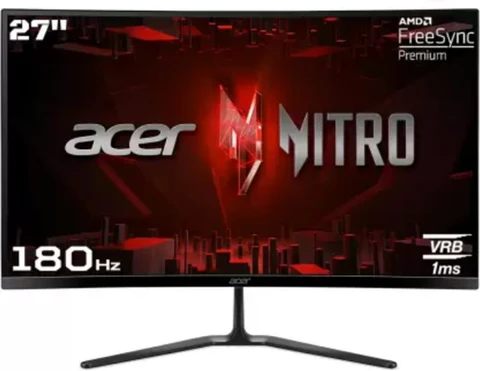
4. Acer ED270U S3 – Best Curved QHD Monitor
| Specification | Details |
| Screen Size | 27 inches |
| Panel Type | VA (curved) |
| Refresh Rate | 180Hz |
| Resolution | 2560×1440 (QHD) |
| Bezels | ZeroFrame |
| Ports | 2x HDMI, 1x DisplayPort |
| Speakers | Built-in |
| Price | ₹14,599 |
| Amazon Link | Buy Now |
Why the Curved VA Panel Works Here
Think about it this way: a curved QHD VA display with 180Hz, all under ₹15,000. This spec combination simply did not exist at this price two years ago.
The curve is subtle rather than aggressive, which helps reduce edge distortion and makes the wide panel easier to sit in front of for long periods. VA contrast means dark scenes look genuinely dark. For story-driven games with dramatic lighting, or for watching films after work, that contrast advantage is clearly visible. Built-in speakers are included, which is a bonus at this price.
“Budget IPS gaming monitors have genuinely closed the gap with mid-range options at a pace the market did not expect. QHD under 15K was unthinkable two years ago. Now it is standard.”
– Summarised from Indian tech community and r/IndianGaming coverage, Q1 2026
Gaming and Creative Work on This Panel
The VA panel color accuracy is decent but not perfectly calibrated out of the box. For casual photo editing, it works well enough. For professional, color-critical work like print design, you would want a properly factory-calibrated display.
Gaming at QHD 180Hz is demanding on your graphics card. Budget GPUs will need settings turned down. A mid-range card from 2023 onward handles it well.
Real talk. This is the best all-round monitor on this list if you do both gaming and creative work. Curved display, QHD resolution, and 180Hz under ₹15K is a combination that is genuinely hard to beat right now.
| Pros | Cons |
| Curved QHD at 180Hz in budget | VA panel not ideal for color accuracy |
| Built-in speakers included | Needs a decent GPU for QHD 180Hz |
| Best contrast ratio in this list | Pricier at ₹14,599 |
| ZeroFrame clean design | No USB-C |
| Best all-rounder for gaming and creative work |
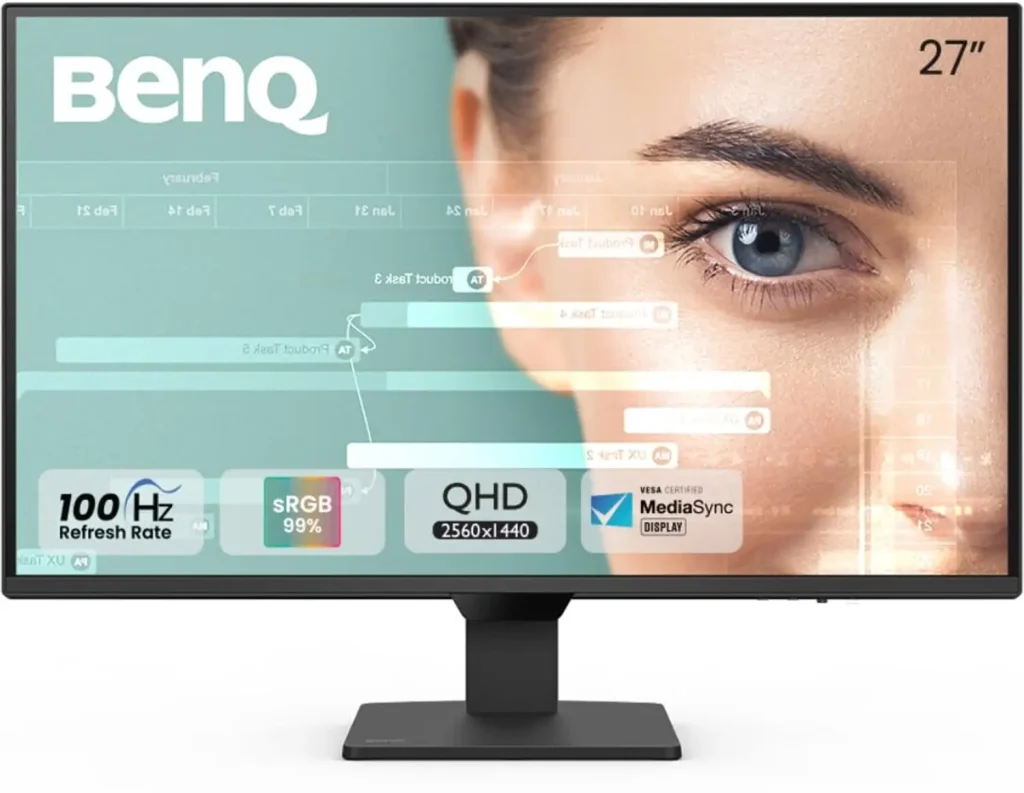
5. BenQ GW2790Q – Best for Coding and Long Work Sessions
| Specification | Details |
|---|---|
| Screen Size | 27 inches |
| Panel Type | IPS |
| Refresh Rate | 100Hz |
| Resolution | 2560×1440 (QHD) |
| Bezels | Thin bezel |
| Ports | 2x HDMI, 1x DisplayPort |
| Speakers | Built-in |
| Price | ₹14,990 |
| Amazon Link | Buy Now |
Why Coders Will Like This Monitor
BenQ built the GW series with one clear goal: a monitor you can sit in front of all day without your eyes feeling strained by the end of it. For coders who spend 6 to 10 hours in front of a screen, that matters more than almost any other spec.
The GW2790Q includes Brightness Intelligence Plus technology, which automatically adjusts the display brightness based on the ambient light in the room.
“Brightness Intelligence Plus Technology automatically adjusts the screen brightness and colour temperature according to the ambient light in the room.”
– BenQ India, GW2790Q Official Product Page, benq.com/en-in, 2025
QHD at 27 inches also means more lines of code visible at once without scrolling. That is a real productivity improvement over FHD for developers. The 100Hz refresh rate is more than enough for coding work.
Honest Long-Session Feedback
I used to think BenQ’s Eye-care features were mainly marketing. And honestly, I am still not fully convinced the auto-brightness works perfectly in every lighting condition.
And that is the thing.
Eye strain during long QHD IPS sessions is noticeably lower compared to cheaper alternatives. That is a real benefit if you code for 8 or more hours a day.
The built-in speakers handle audio calls without any issues. At ₹14,990, you are paying around ₹3,000 more than the LG 27U631A for better build quality, Eye-care software, and speakers. For coders who live in their editor all day, that extra cost is worth it.
| Pros | Cons |
|---|---|
| Best eye-care features in this list | Most expensive at ₹14,990 |
| QHD means more code visible at once | Only 100Hz, not a gaming monitor |
| Built-in speakers included | No USB-C |
| Brightness Intelligence Plus technology | Auto-brightness inconsistent in some conditions |
| Best option for long coding sessions |
Which Monitor Should You Pick
For Gaming
Get the Acer Nitro KG271 X1 at ₹10,450. A 200Hz IPS panel at that price is a great deal, and you will not regret it. FHD resolution means your GPU can hit high frame rates without much effort.
But still, if you want a curved display and QHD resolution and can spend ₹14,599, the Acer ED270U S3 is a clear step up. The VA contrast makes dark gaming scenes look noticeably better.
For Coding and Office Work
The LG 27U631A at ₹11,909 is the best answer here. QHD on a 27-inch IPS panel, with USB-C, at a reasonable price. You get more screen space and a cleaner cable setup in one monitor.
If you want better build quality and Eye-care features and are comfortable going up to ₹14,990, the BenQ GW2790Q is worth the investment for long working days.
For Photo and Video Editing
The BenQ GW2790Q edges out the competition for creative work. QHD IPS, consistent colors, and BenQ’s out-of-box calibration is generally more reliable for color-sensitive work compared to the others on this list.
But still, it is worth being clear: none of these five monitors are professional-grade colorimetry displays. They are good for general creative work and freelance projects. For studio-level color grading, you would need to look at a higher budget.
Where Is This Segment Going in India
“Our goal is to bring gaming-grade performance to everyday users at accessible price points across markets including India.”
– LG India, Official Product Communications, lg.com/in, 2025
The budget monitor segment in India is moving fast in 2026. The sub-₹15,000 range now regularly includes specs that used to sit in the ₹20,000 to ₹25,000 category: QHD panels, 180Hz+ refresh rates, USB-C ports, and Eye-care software.
Component costs for IPS panels have been dropping steadily, and major brands are competing hard on specs at this price level. By late 2026 and into 2027, OLED options will start appearing closer to the ₹20,000 mark, which will push current QHD IPS monitors even further down in price.
If you are still using a 60Hz monitor, any of these five will feel like a meaningful upgrade right away. The improvement is immediate and obvious from day one.
The best monitor under 15000 in 2026 is a real, capable, no-compromise display for gaming, work, or anything in between.
Things to consider before making the list
These things are considered while selecting the monitors out of 20+ models. If you have any doubts or suggestions feel free to comment below.
Branding or Service
If you are going to buy an expensive computer component then after-sale services play an important role. As per the brands Like Samsung, LG, Acer, Hp, AOC, BenQ, and Dell.
These brands offer great services to their users. Even it will give you much better build quality as compared to the normal brands.
Display Panel

The display panel is also an important factor in monitors. Mainly in the budget segment, there are three different kinds of LCD panels TN, IPS, and VA.
The IPS display gives you better picture quality. So an IPS monitor is selected over others for video editing.
However, You can use an IPS monitor for gaming. But IPS monitors have more response time issues.
That means you need to have VA or TN panel for competitive games like (Apex Legend, PUBG, and Fortnite).
Although the TN panel is not that recommend in this budget.
Refresh Rate (Important for Gamers)
The refresh rate makes your game smoother and better. But still, for basic gaming and video editing, 75 Hz is more than enough.
Normally, you will get a 144 Hz monitor available in this budget.
Resolution
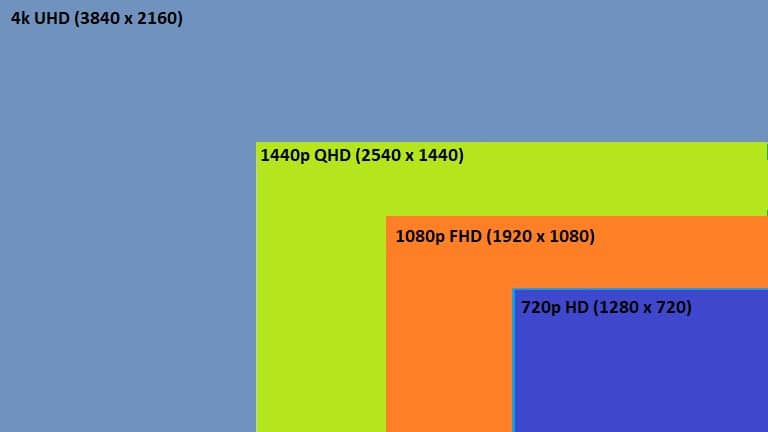
Almost every monitor is offering Full HD resolution. For more, you have to increase your budget.
Screen Size
For the screen size better value, it will be. In this budget, you will get only options of 24-inch and 27-inch monitors.
For video editing, 27 inches monitor is selected over others. But for gaming, a 24 inches monitor is selected because of the limited budget and better refresh rate.
Curved Display.
A curved display is reconsidered for both gaming and video editing monitors. It will give you better value and experience from a monitor.
So let’s check the list of the monitors.
Frequently Asked Questions
Is a 27-inch monitor too large for a small desk?
Most desks with a 60cm depth handle a 27-inch panel well if you sit at an arm’s length. Below 50cm depth, a 24-inch option is more comfortable. The LG UltraGear at 23.8 inches is the better fit for tighter setups.
Can these monitors connect to a PS5 or Xbox Series X?
Yes. All five monitors have HDMI ports that work with both consoles. For the best image, match the monitor’s native resolution (FHD or QHD) with your console’s output settings.
Is FHD at high refresh rate better than QHD at 100Hz for a student?
It depends on what you mainly do. For gaming, FHD at 180Hz or 200Hz is the better choice. For college work, research, and casual gaming, QHD at 100Hz gives you more screen space for multitasking. The LG 27U631A is the top student pick in this budget.
Does the best monitor under 15000 for coding need specific color accuracy?
Not really. Any IPS panel on this list is accurate enough for standard development work. If you do UI design or front-end work where color matters more, the BenQ GW2790Q has a slight advantage with its better out-of-box IPS calibration.
Conclusion
The monitors are essential and require more time for buying decisions. But you will get only the best option mentioned above.
For gaming, you can check the first two monitors. For video editing as per this budget, you can check the third and fourth monitors.
So here’s the best monitor under 15000 in India
Now I want to hear from you. Which of the monitor you like the most. Let me know by leaving a comment below.

I founded Bestguides.in. I have knowledge about PC Building for 5+ years. With a combined experience of over 8 years in the tech industry, we have been providing informative and insightful guides and articles on technology products since 2020. While not writing, I can be found reading books or playing games.